Plan and subscription
Your plan defines how many bank accounts, how many MCP clients, and how many queries per day your organization can use. The current plan shows on the … Plan button at the top of the app.
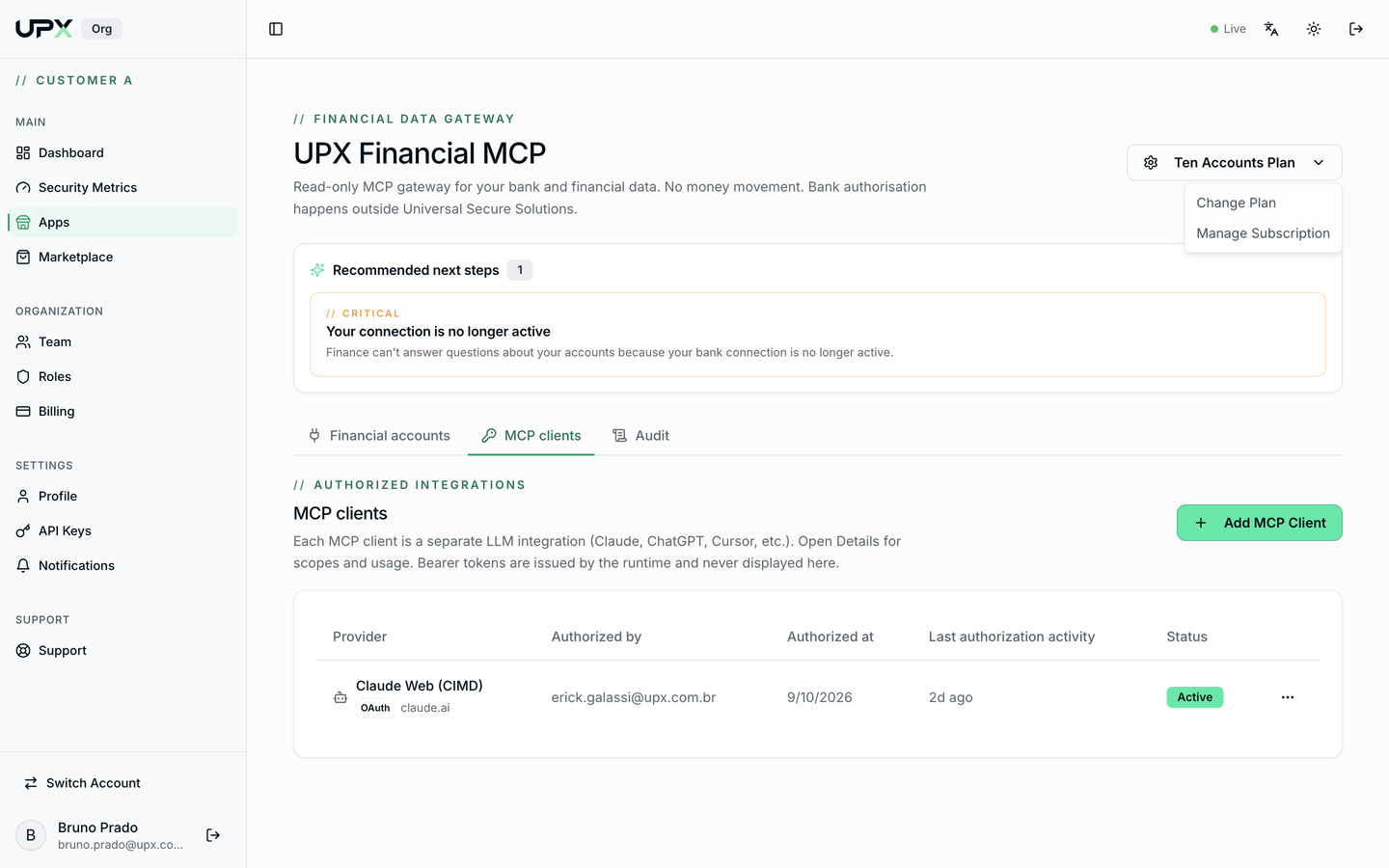
Change Plan
Click … Plan → Change Plan. The dialog shows the options under the Individual, Corporate, and Enterprise tabs, with each plan's limits.
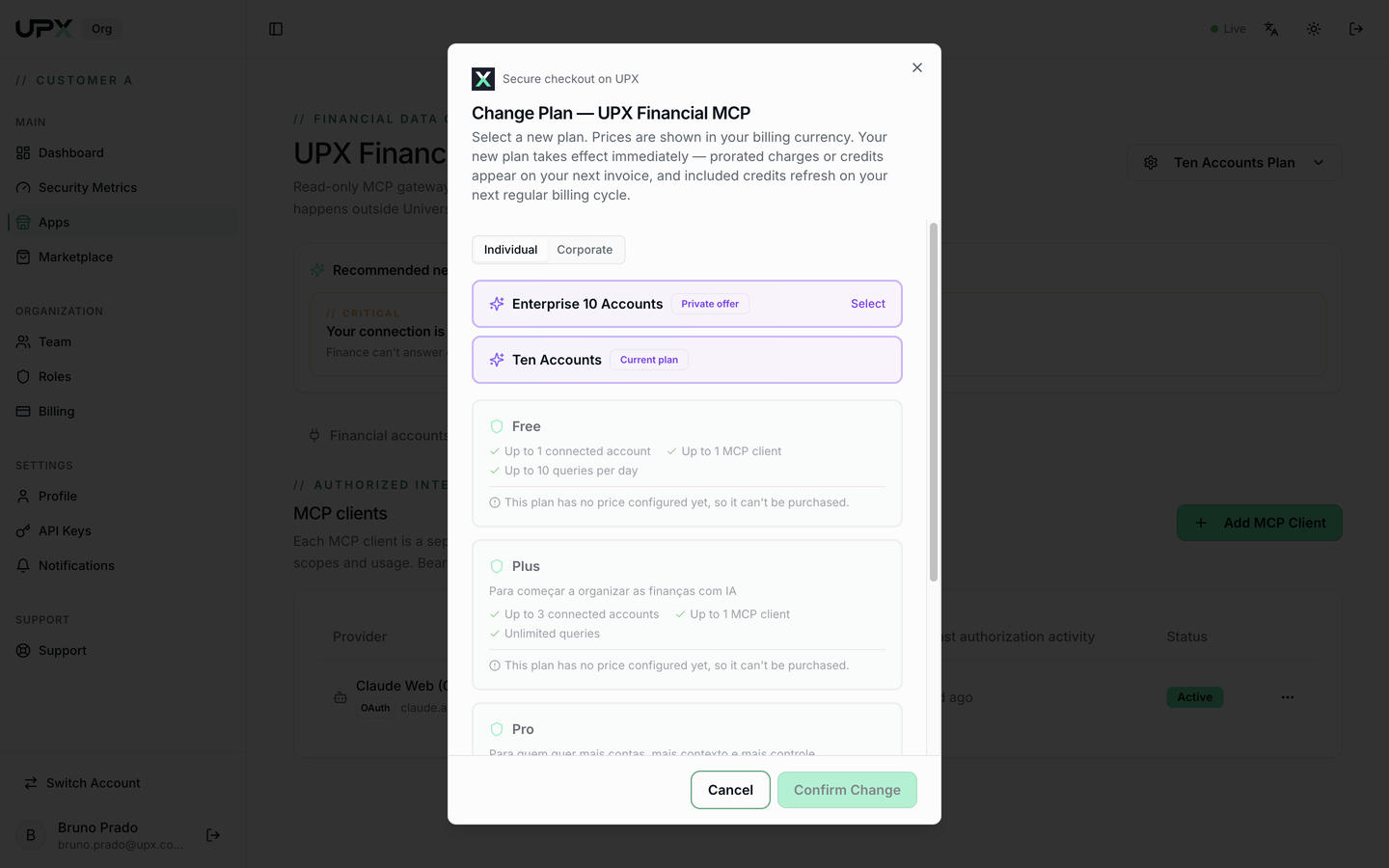
- Your current plan is marked Current plan.
- Select the new plan and click Confirm Change.
- The new plan takes effect immediately; prorated charges or credits appear on your next invoice.
- Plans with no configured price can't be purchased from this screen — talk to UPX (Private offer, on the Enterprise tab).
Manage Subscription
… Plan → Manage Subscription takes you to Billing, where you'll find the payment method, the monthly summary, and all of your organization's app subscriptions.
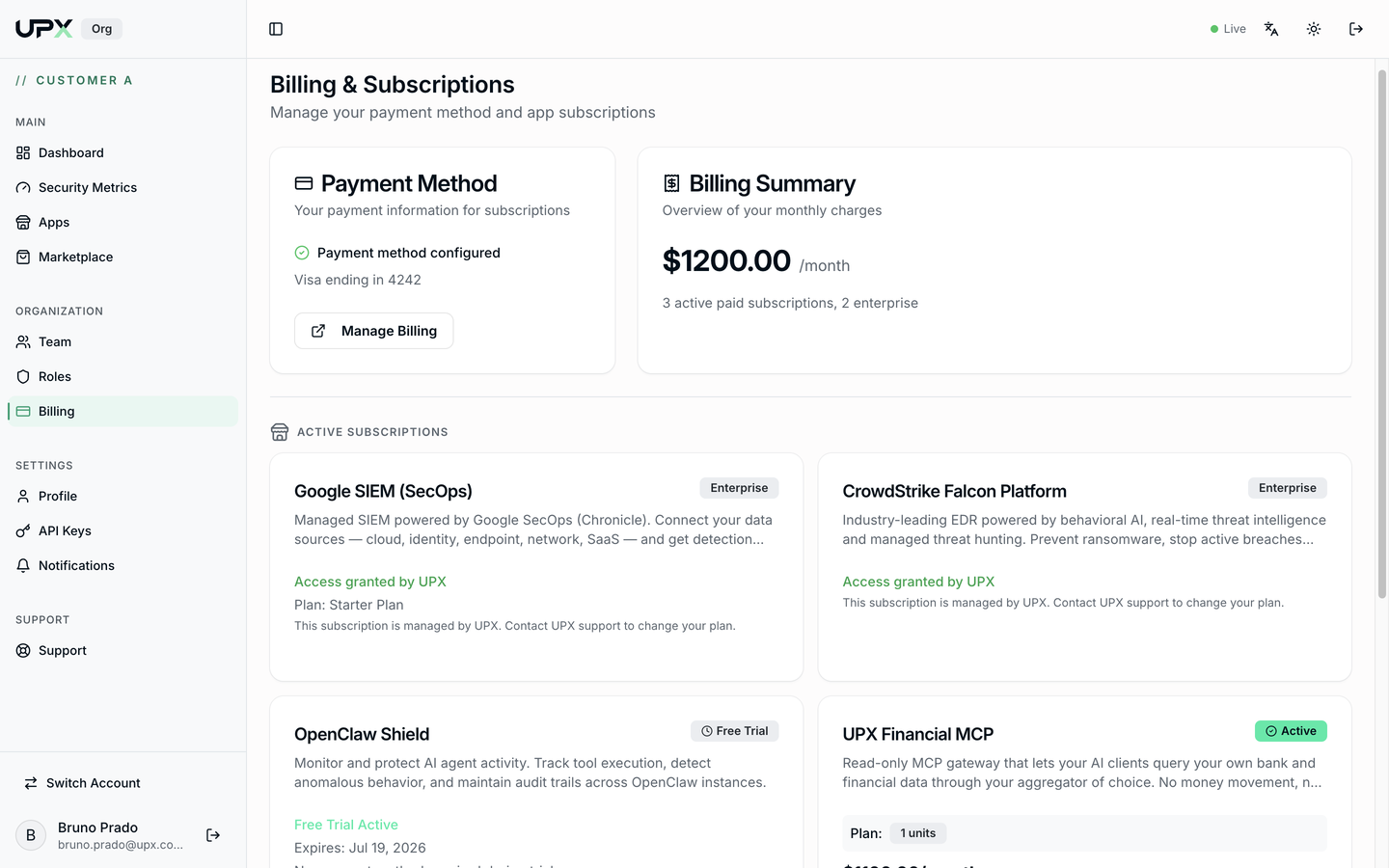
- Manage Billing opens the payment portal to change your card or download invoices.
- Subscriptions marked Access granted by UPX are managed by UPX — to change them, open a ticket under Support.
Limits and what happens when you hit them
| Limit | Symptom |
|---|---|
| Connected accounts | New Bank Connection disabled; N of N used counter |
| MCP clients | Add MCP Client refuses the authorization |
| Queries per day | Calls show as Denied in the Audit tab until the next day |