Audit
Every query your AI clients make through the MCP is recorded in the Audit tab — the client, the tool called, the outcome, and a plain-language summary.
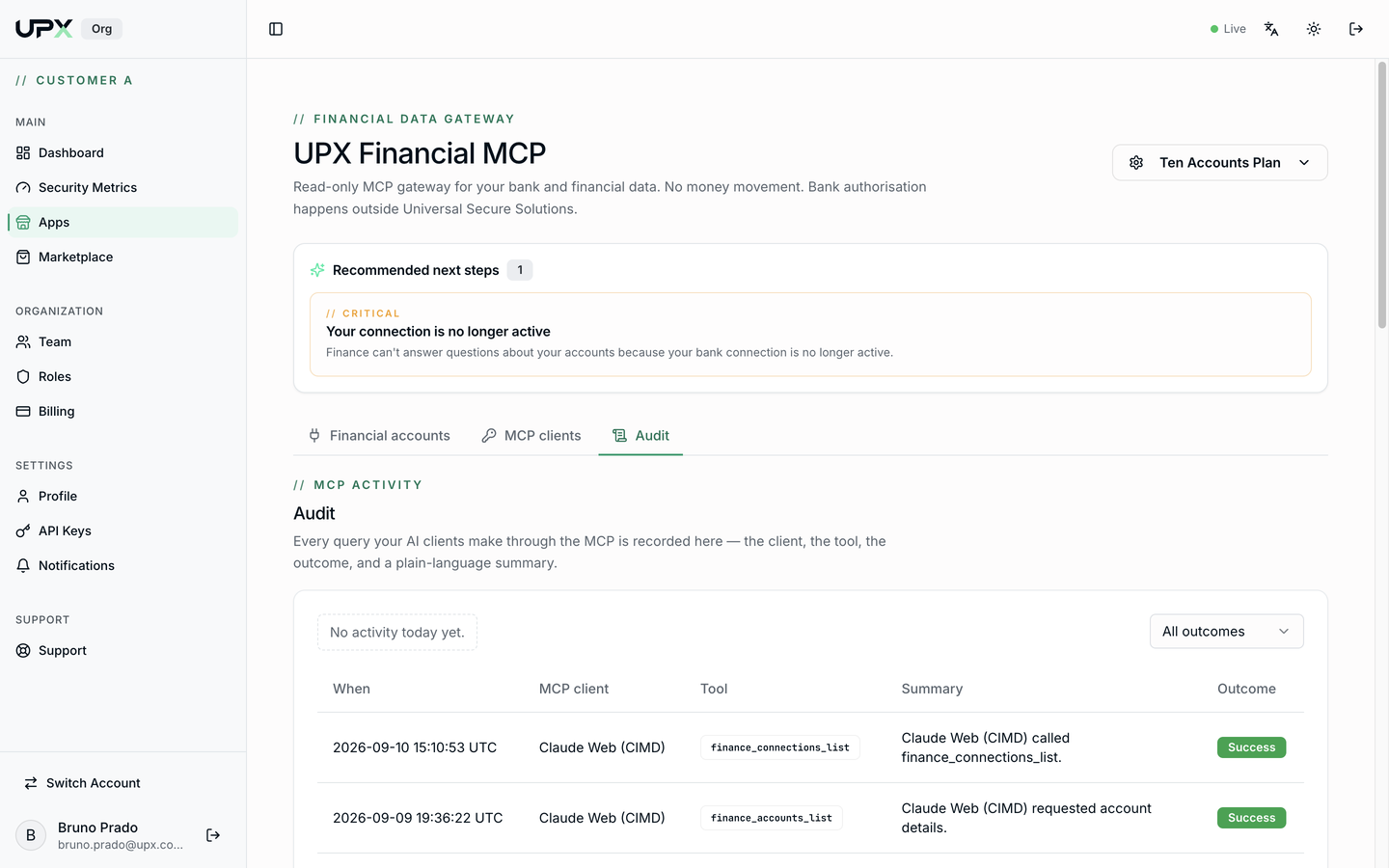
Columns
| Column | What it shows |
|---|---|
| When | Date and time in UTC |
| MCP client | Which assistant made the query (e.g. Claude Web) |
| Tool | MCP function called — finance_connections_list, finance_accounts_list, finance_transactions_list, finance_liabilities_list… |
| Summary | Readable sentence: "Claude requested account details", "… was denied" |
| Outcome | Success or Denied |
Filter
Use the All outcomes selector to see only Success or only Denied.
What "Denied" means
A denied query is not a bank error. It usually means that:
- the client requested a scope that was not granted during authorization (e.g.
transactions without
finance:read:transactions); - the scope is not included in your current plan;
- the plan's daily query limit was reached;
- the bank connection is inactive or needs reauthorization.
To fix it, review the scopes under MCP clients → View details or the limit under Plan and subscription.
Use it as evidence
The audit log is your compliance trail: it shows exactly what each AI accessed, when, and what was blocked. Nothing is editable.