Onboarding
Last updated 12 months ago
This is the first step to enable new users on the platform. The administrator is responsible for adding other users as needed by the organization. The user management features are located at the bottom of the side menu, under the Access Management and Invite Users options.
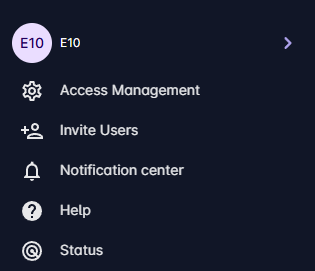
Inviting coworkers
Our platform allows new users to join via an invitation link. The invitation link is unique and must be enabled by the organization. When active, users who register using the provided link will automatically be added to the organization that invited them.
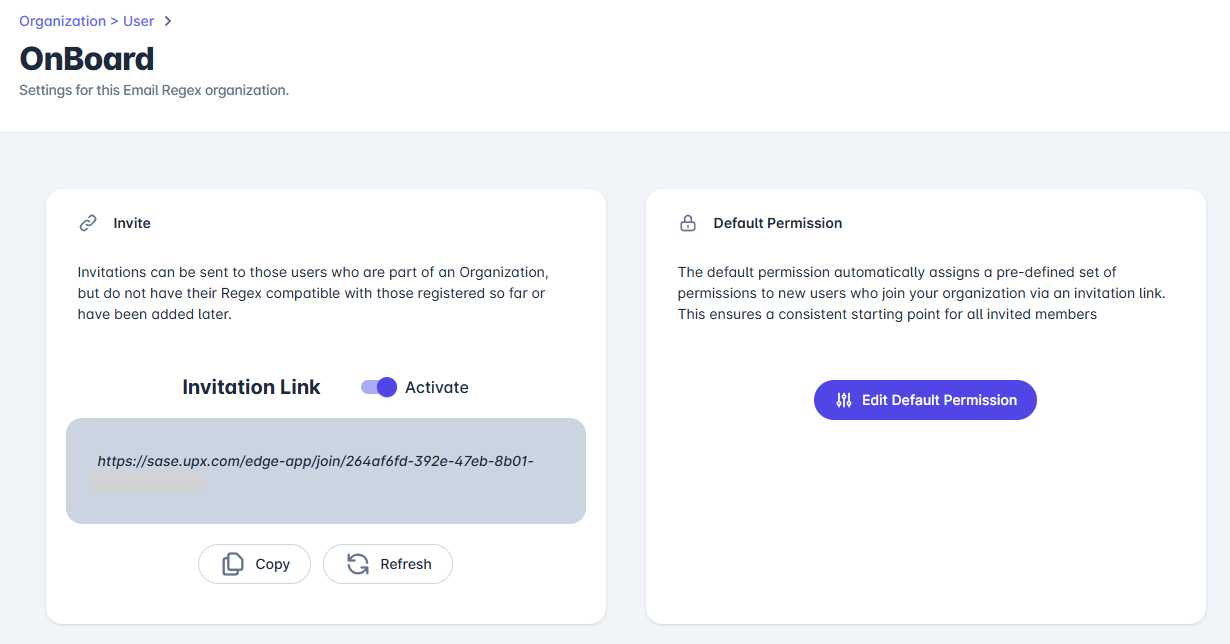
For greater control and security, the organization can “rotate” the invitation link, thereby generating a new unique address. By default, users who join the organization through the link will not have any permissions or access to products, and it is the organization’s responsibility to explicitly grant each user’s access within the Access Management options.
However, to streamline this process, the organization may optionally define “default permissions” for new users. This way, those who join through the invitation link will automatically have the access rights defined by the organization. The list of available permissions corresponds to the products and services the organization has available.
Important: There is currently no limit to the number of users an organization can have. However, UPX follows security best practices and periodically removes accounts that have been inactive for long periods.