Main Dashboard
Last updated 12 months ago
It is a summary of the main insights regarding customers’ edge security. The Dashboard is the platform’s main screen, where the user has an overview of the organization.
Traffic Visualizations
The traffic chart shows possible fluctuations in the network, and through it, the user can select the display type (Aggregate, Aggregate with Attack Volume, and Detailed) and view data for up to the past 48 hours.
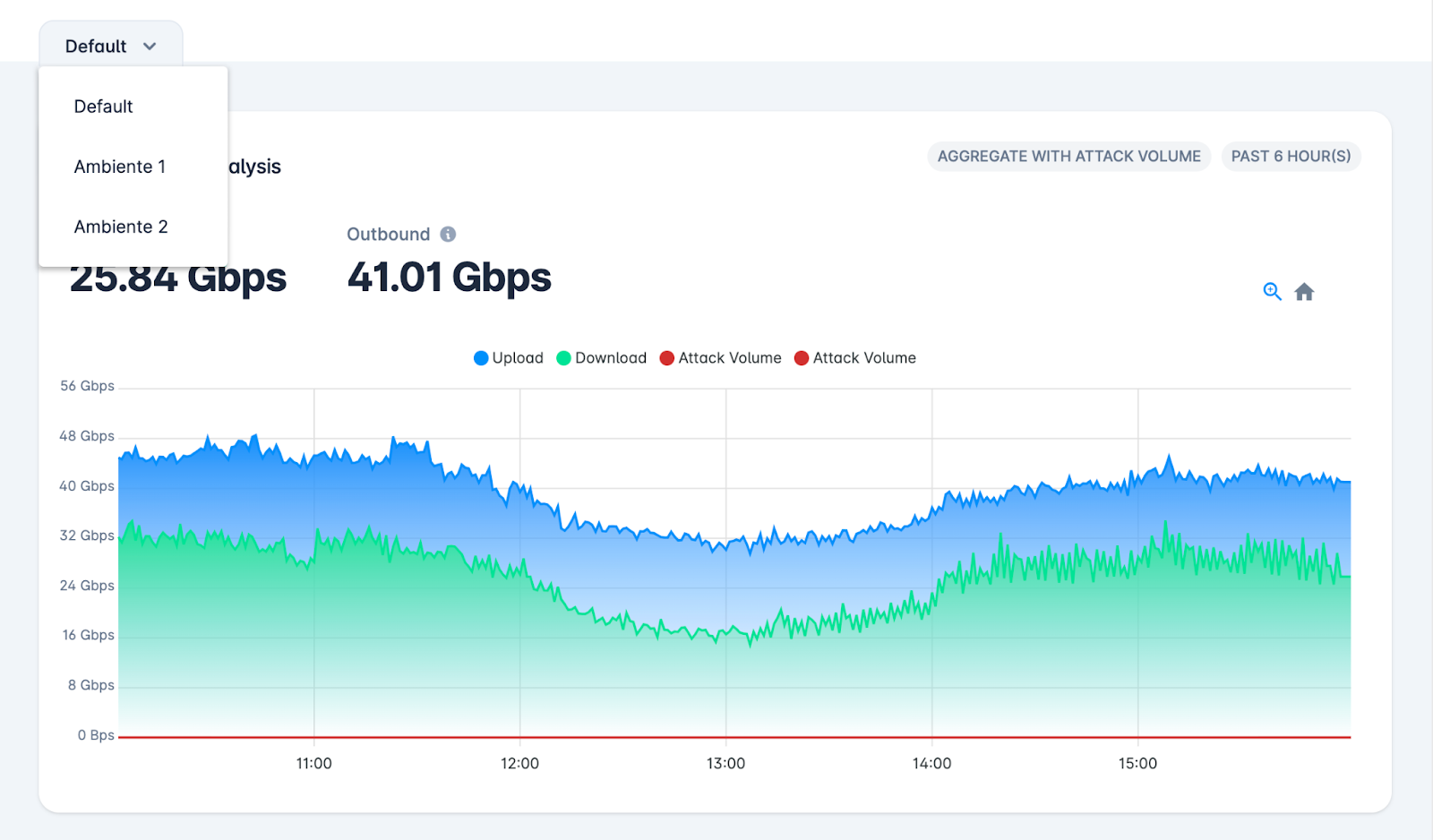
In addition, if the customer has more than one network environment, it is possible to view total traffic in Default mode or independently, as shown in the image below.
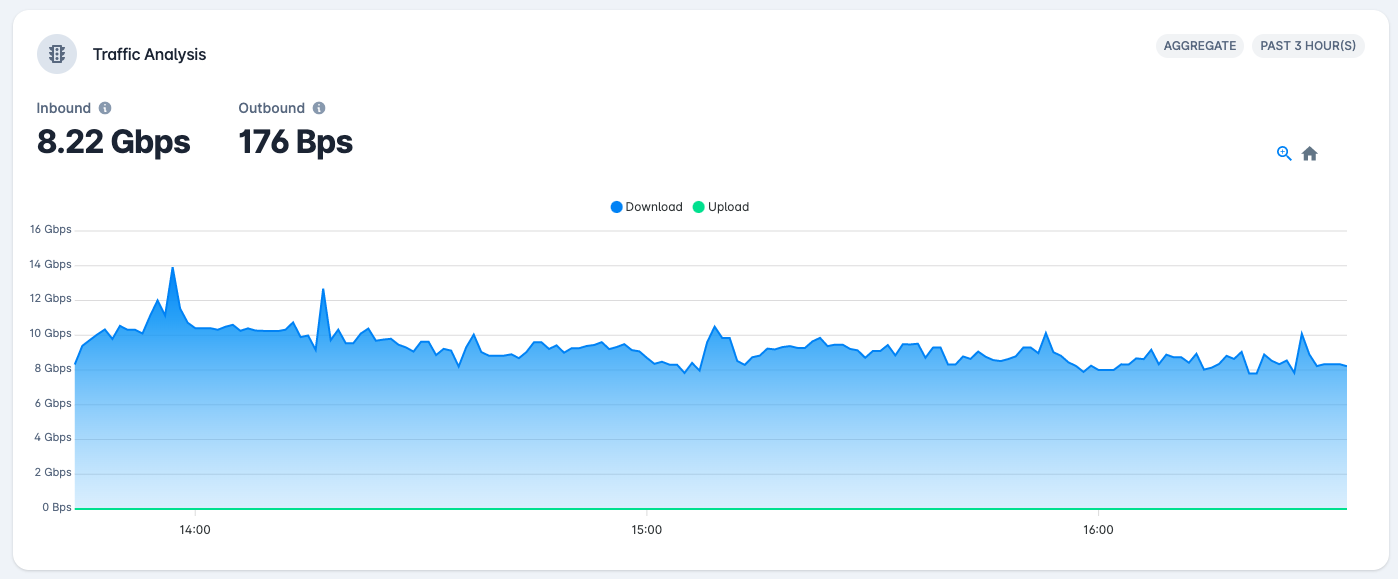
Aggregate – aggregation of all interfaces the customer has with UPX, showing download and upload volume.
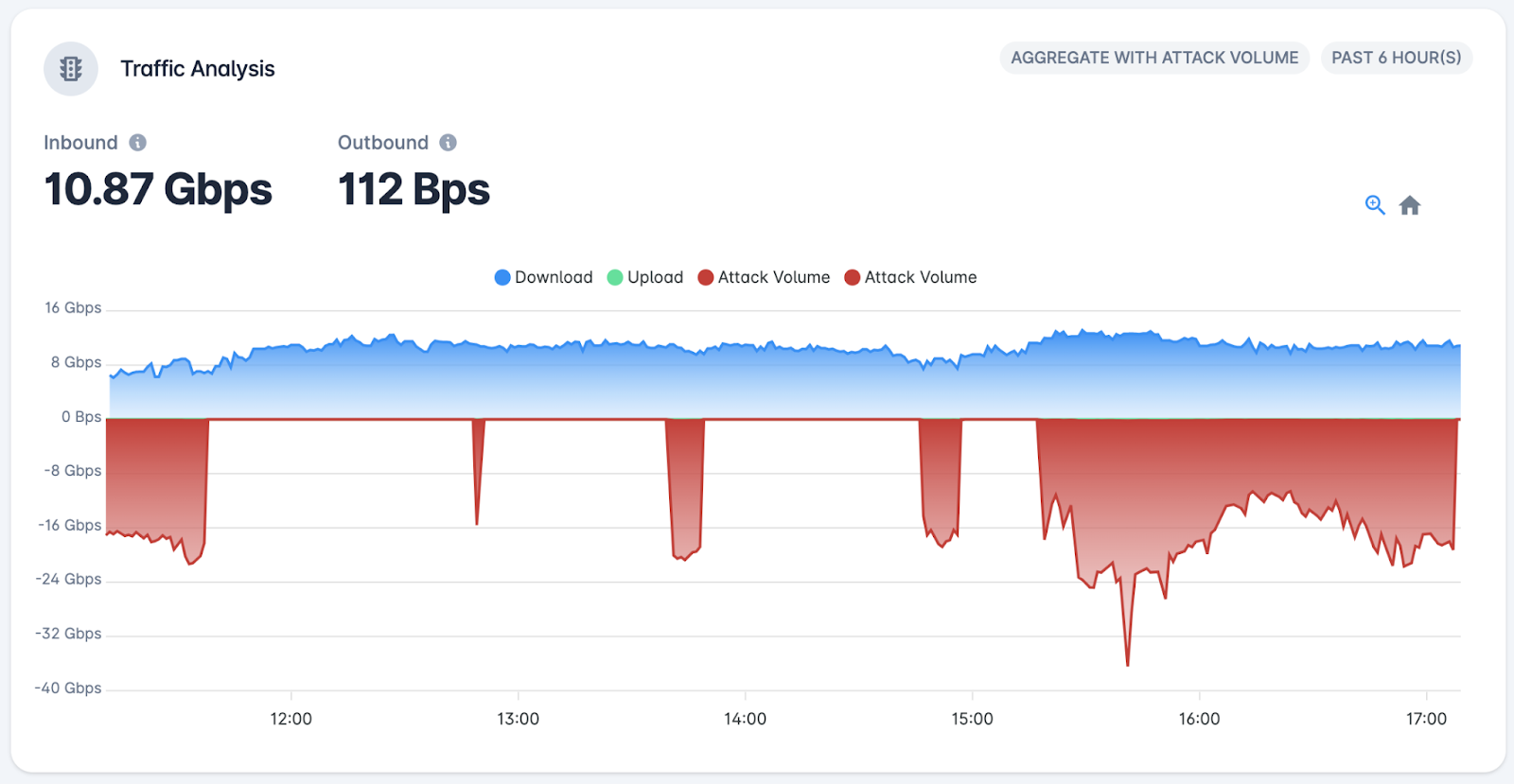
Aggregate with Attack Volume – aggregation of all interfaces the customer has with UPX, showing download and upload volume, as well as the volume of ¹DDoS attacks directed at the customer’s network.
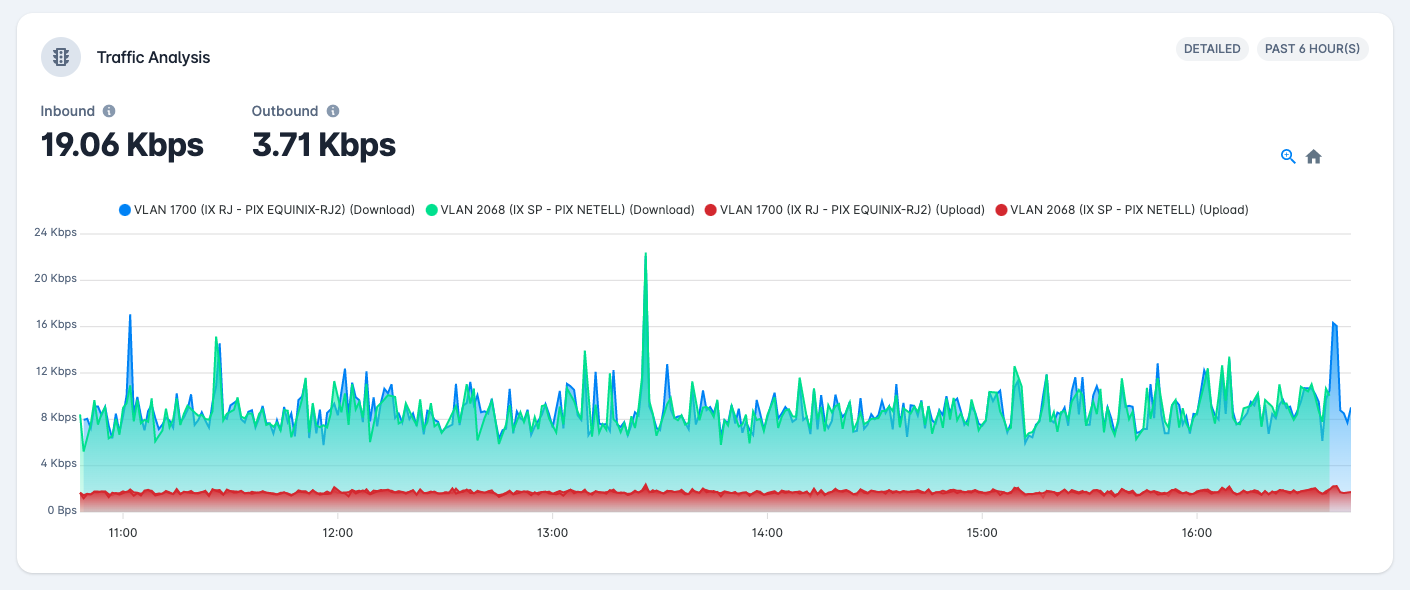
Detailed – view of each interface/connection type² (VLAN, GRE, Cross Connect, etc.) the customer has, with download and upload volume.
Attack Detection
Below the traffic chart, the user finds a list of DDoS attacks that are in progress and/or have been recently completed. If an attack is in progress, an alert panel will be displayed with the main information.

In this panel, the user can identify the target prefixes of the attack, the types of protocols used by the offender, scrubbing centers mitigating the attack and time information.
In the attack list, the status of each attack is shown, which can be classified as Ongoing or Finished, along with the attack’s start and end time, duration, the number and list of target prefixes, the Scrubbing Center handling the mitigation of that attack, and the signatures (protocols used) in the attack.
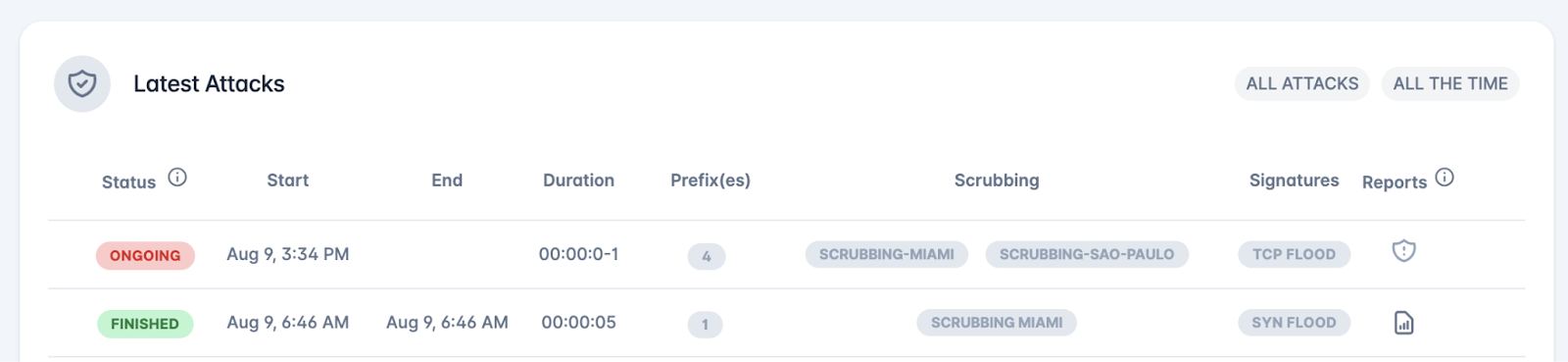
In addition, the attack panel displays false positives, which are alerts for traffic considered anomalous (with strong indications of malicious activity) but, after deep packet inspection, are confirmed to be legitimate traffic. In such cases, the alert status, initially treated as an attack, is immediately changed to false positive.

Attacks with the ONGOING status include the Live DDoS Report option. Through this feature, the user can view and monitor the incident via a report that is automatically updated every 5 minutes with the latest collected information. After the event ends, the information is displayed in the consolidated report.
